 Education
 Public Procurement
 Charities


SKU: SMART-MX
Categories: Interactive Displays & Whiteboards
Tags: Interactive Boards Interactive Whiteboards
Know someone who might like this?


SMART MX Interactive Board
SMART MX Interactive Board

Screen Size
: 55";65";75";86"

Brand
: SMART Technologies
- Available Screen sizes (diagonal): 55", 65", 75", 86"
- Maximum display resolution: 4K UHD (3840 x 2160)
- Refresh rate: 60 Hz
- Lifespan: ≥ 50,000 hours
- Brightness (maximum): 55": ≥ 350 cd/m2, 65", 75", 86": ≥ 400 cd/m2
- Response time: 8 ms
- Glass: Fully heat-tempered, anti-glare, bonded glass. 55" displays don't include zero-bonded
glass. - Convenience buttons: Power, home, volume, input select, screen shade, freeze frame
- Sensors: Ambient light, infrared
- Audio: 2 integrated 15 W speakers
- Remote control: Included
- Weight: 55": 34.4 kg, 65": 46.1 kg, 75": 64.3 kg, 86": 78.3 kg
SKU: SMART-MX
Categories: Interactive Displays & Whiteboards
Tags: Interactive Boards Interactive Whiteboards
Know someone who might like this?




We want you to buy with confidence, so every device comes with a minimum 12-month warranty as standard. If something goes wrong with the hardware, and it's not down to accidental damage or everyday wear, we'll put it right by repairing or replacing it, at no cost to you. Not sure whether a fault is covered? Just get in touch and we'll help you work it out. You'll find the full details on our warranty page.
Changed your mind? That's no problem. You have 30 days from delivery to send your device back for a full refund. Just return it in the condition it arrived, with any accessories it came with, and once it's back with us and checked over, we'll get your refund sorted. If you'd like a hand starting a return, we're happy to walk you through it. Full details are on our returns page.
If something isn't working as it should, we're here to help. For warranty repairs and replacements, open a ticket through our repair centre and our team will take care of the rest. For anything else, whether it's a quick question or you just need a bit of guidance, you'll find all the ways to reach us on our contact us page. For the fastest way to talk to a real member of the team, use the chat in the bottom right of any page.


Easy to deploy, use and support
Easily connect devices, lesson content, and learning experiences, both in the classroom and remotely.
The SMART Board MX interactive display is easy to deploy and support, which means savings in training costs and time, less change and effort for teachers and fewer teacher support calls - all adding up to a lower total cost of ownership.
Better touch, more collaboration
Everyone can write, move objects, gesture, and erase at the same time, without interrupting the flow of learning to select tools or change modes.
New zero-bonded glass gives you precise interactions and digital ink, so the MX series is perfect for teaching everything from the biggest ideas to the smallest details.
Write anywhere, on any file
Writing and drawing isn't limited to a whiteboard. SMART Ink desktop software lets teachers make notes anywhere: write into and over web browsers, applications, and familiar file types such as PDFs and Microsoft Office. The ink stays even when teachers switch applications.
Built for education, powered by iQ
iQ's integrated Android-based experience gives teachers an easier way to engage students that's specifically designed to be simple and accessible for all teachers, regardless of comfort level with technology
Automatic updates and ease of maintenance and ensure your technology investment continues to meet the needs of your teachers and classrooms now and in the future.
Engage remote learners
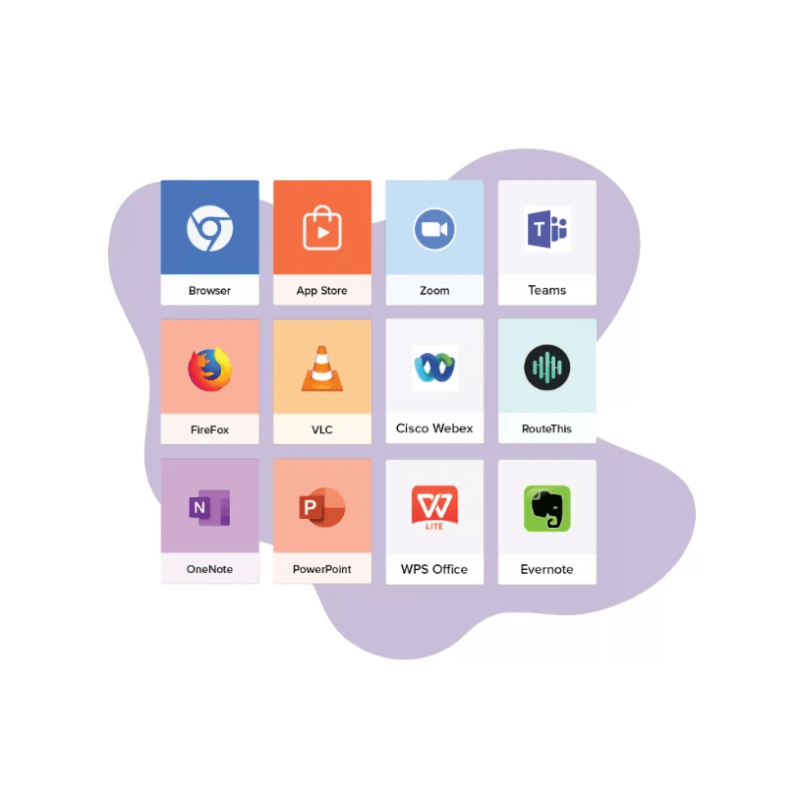
Connect with remote learners using screen sharing, digital ink, whiteboards, and lesson-delivery tools (like Spotlight) to focus students' attention. SMART displays work with UVC webcams, Zoom, Google Meet™, Microsoft Teams™, and more.
Create and deliver rich, interactive lessons
Enhance lessons with ready-made whiteboard templates, graphic organizers, manipulatives, widgets, and interactive activities. Keep learning lively with features like infinite cloning, text editing and 3D objects, and subject-specific tools like creative pens, equation editor and math tools.
Magic Pen, Spotlight, and other instructional tools help you focus students attention, especially while video conferencing, without interrupting the natural flow of teaching.
Works with your tech
Get the full SMART Board experience on any connected Windows or Mac computer: 20 points of touch and digital ink across web browsers, files, and applications.
Technical Specifications
Display
- Screen sizes (diagonal) 55", 65", 75", 86"
- Maximum display resolution: 4K UHD (3840 x 2160)
- Refresh rate: 60 Hz
- Lifespan: ≥ 50,000 hours
- Brightness (maximum): 55": ≥ 350 cd/m2, 65", 75", 86": ≥ 400 cd/m2
- Response time: ≤ 8 ms
- Glass: Fully heat-tempered, anti-glare, bonded glass. 55" displays don't include zero-bonded glass.
- Convenience buttons: Power, home, volume, input select, screen shade, freeze frame
- Sensors: Ambient light, infrared
- Audio: 2 integrated 15 W speakers
- Remote control: Included
- Weight: 55": 34.4 kg, 65": 46.1 kg, 75": 64.3 kg, 86": 78.3 kg
- Touch technology: HyPr Touch™ with Advanced IR
- Touch features: Simultaneous Tool Differentiation™, Object Awareness™, Silktouch™
- Multitouch capabilities: 20-Windows and Mac, 10-Chrome OS
- Tools included: Pens (2)
- Operating System: Android version 13
- Memory: 6 GB DDR
- Storage: 32 GB
- Features: SMART Whiteboard, Native and app-based screen sharing, Web browser, Personalized home screen and settings, Live input preview, Interactive widgets, Templates, graphic organizers, and manipulatives, File and app libraries, Google Drive™ and OneDrive™ access
- Updates: Automatic over-the-air (OTA)
- Wired: RJ45 (x2) 1000baseT
- Wi-Fi: IEEE 802.11 a/b/g/n/ac with 2 MIMO (both 2.4 and 5 GHz bands) supporting WEP, WPA, WPA2 PSK, and 802.1X EAP authentication protocols
- Bluetooth: 5.0 dual mode
- Inputs: HDMI 2.0 x3 (HDCP 1.4 and 2.2), VGA, Stereo 3.5 mm x1, RS-232 x1, RJ45, USB-C x2, USB-A 2.0 x1, USB-A 3.0 x3, USB-B 3.0 x4
- Outputs: Stereo 3.5 mm, S/PDIF, RS-232
- OPS slot: Supporting up to 60 W
- Optional computing modules: SMART OPS PC with Windows 10 Pro, SMART Chromebox


